Multi Edit
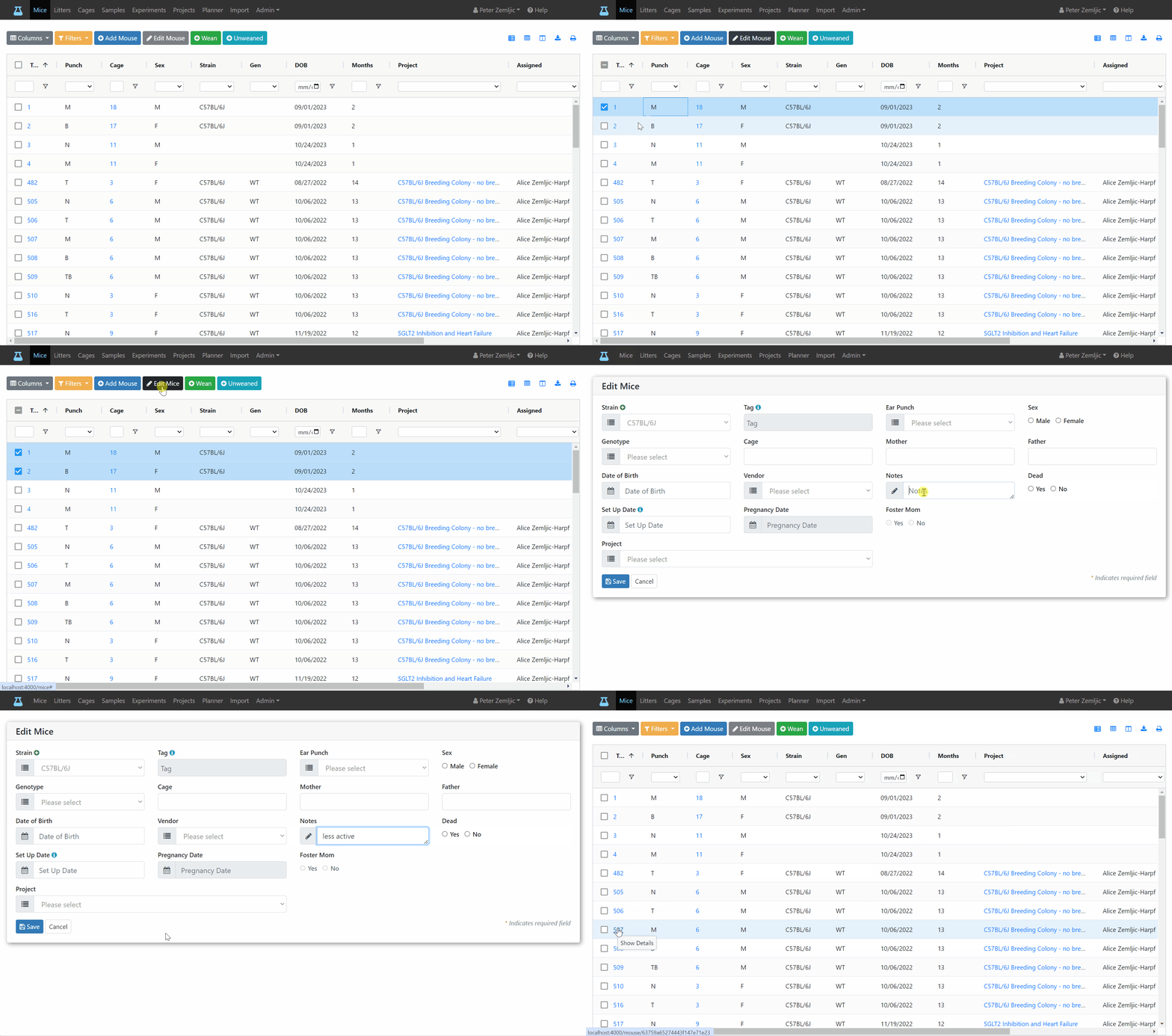
Now let's say we noticed two mice which are less active than others and wanted to add that as a note. Rather than editing each mouse as explained before we can apply the note to both mice at once following these steps:
- Check the box next to each mouse you would like to edit.
- Click on the
Edit Mousebutton at the top. - Make your changes in the Edit Mouse form.
- Click the
Savebutton at the bottom.
info
The Edit Mice form shows fields filled out if they have the same value for each mouse you selected. In this example we selected two mice of the same strain. Therefore, the Strain field was filled out. For fields left empty, the mice will keep their current values. This is why none of the input fields are marked as required.