Delete
Deleting mice should rarely be necessary. If a mouse dies, you don’t need to delete it. Marking it as dead via the Edit Mouse form will hide it from the mouse table because the Alive Mice Only filter is activated by default (see column filters).
info
You can only delete mice if your account has the delete or admin role assigned. The first account created when signing up to Mouse-Cloud automatically has the admin role assigned.
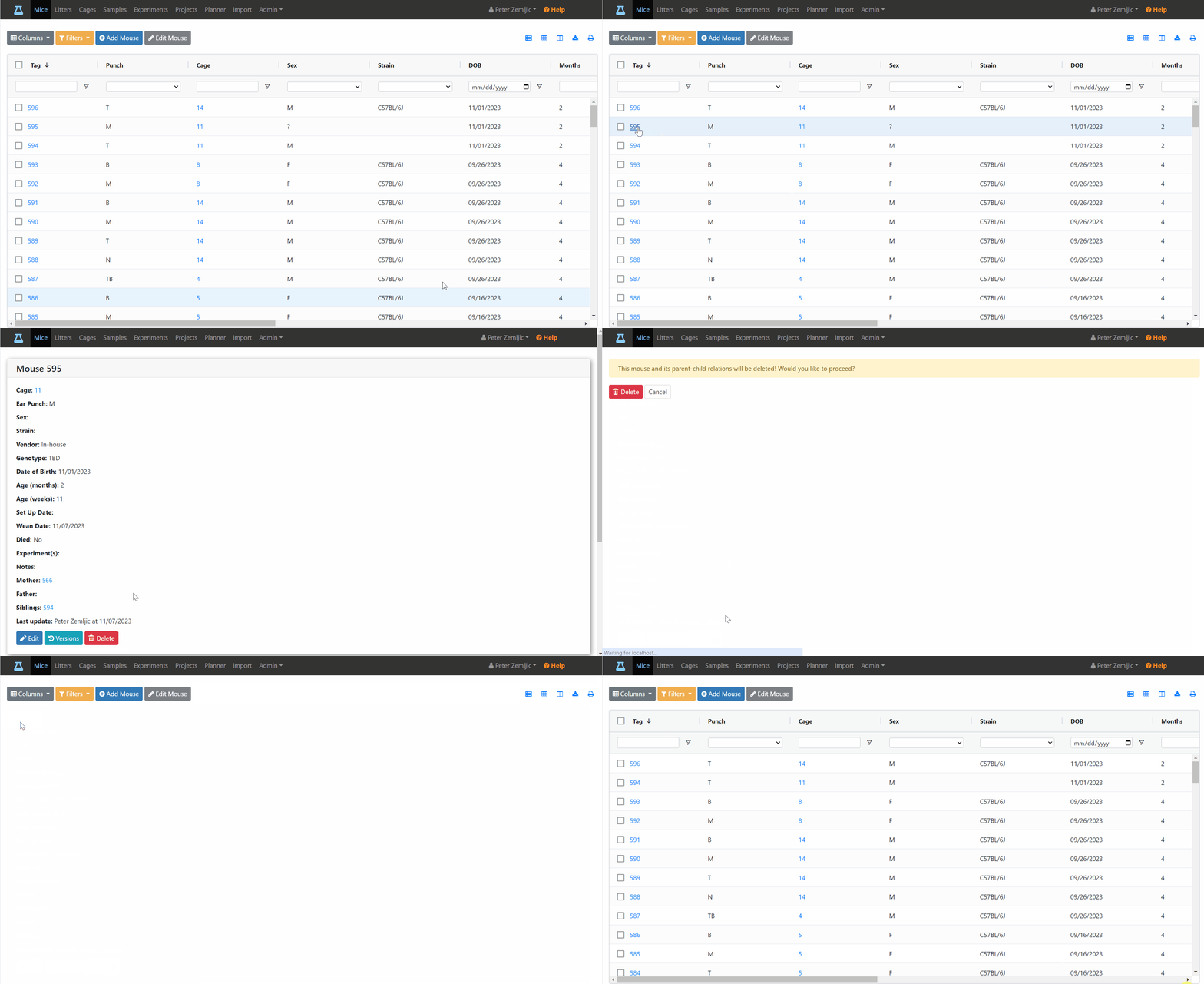
To delete a mouse:
- Click on Mice at the top to view the mouse table.
- Click on the tag number of the mouse to open the detail view.
- Click on the red
Deletebutton at the bottom. - Click on the red
Deletebutton again on the confirmation screen.