Breeding Dates
This section explains which dates are tracked relevant to breedng and how some are updated automatically.
Set Up Date
The set up date can be entered on the Add Mouse and Edit Mouse forms. If left empty, it gets set automatically to today’s date when moving a fertile male and female mouse (i.e., a mouse older than 6 weeks) into the same cage. It can be changed later.
If two weeks or more have passed since setup and no pregnancy date has been entered, the Pregnancy column shows a red “Check” label on the mouse table as a reminder to check for pregnancy.
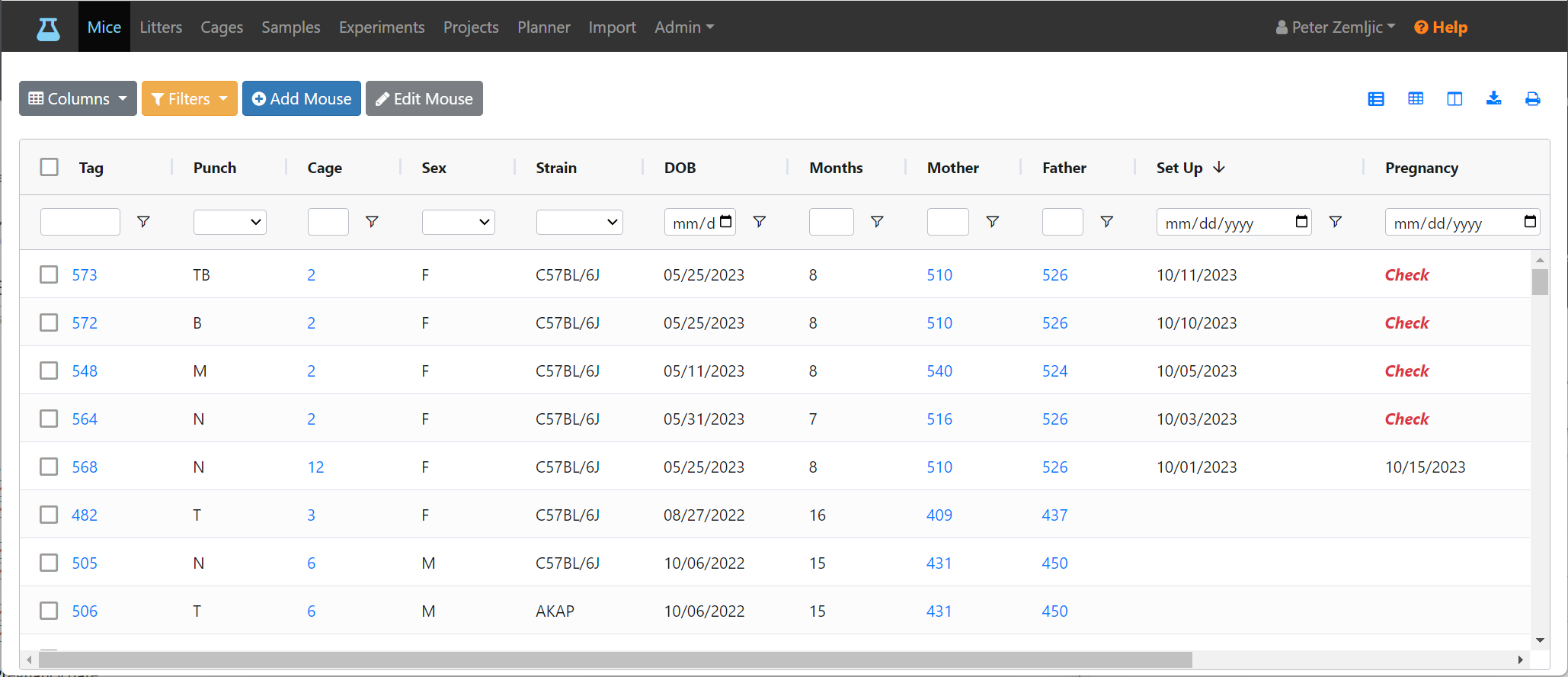
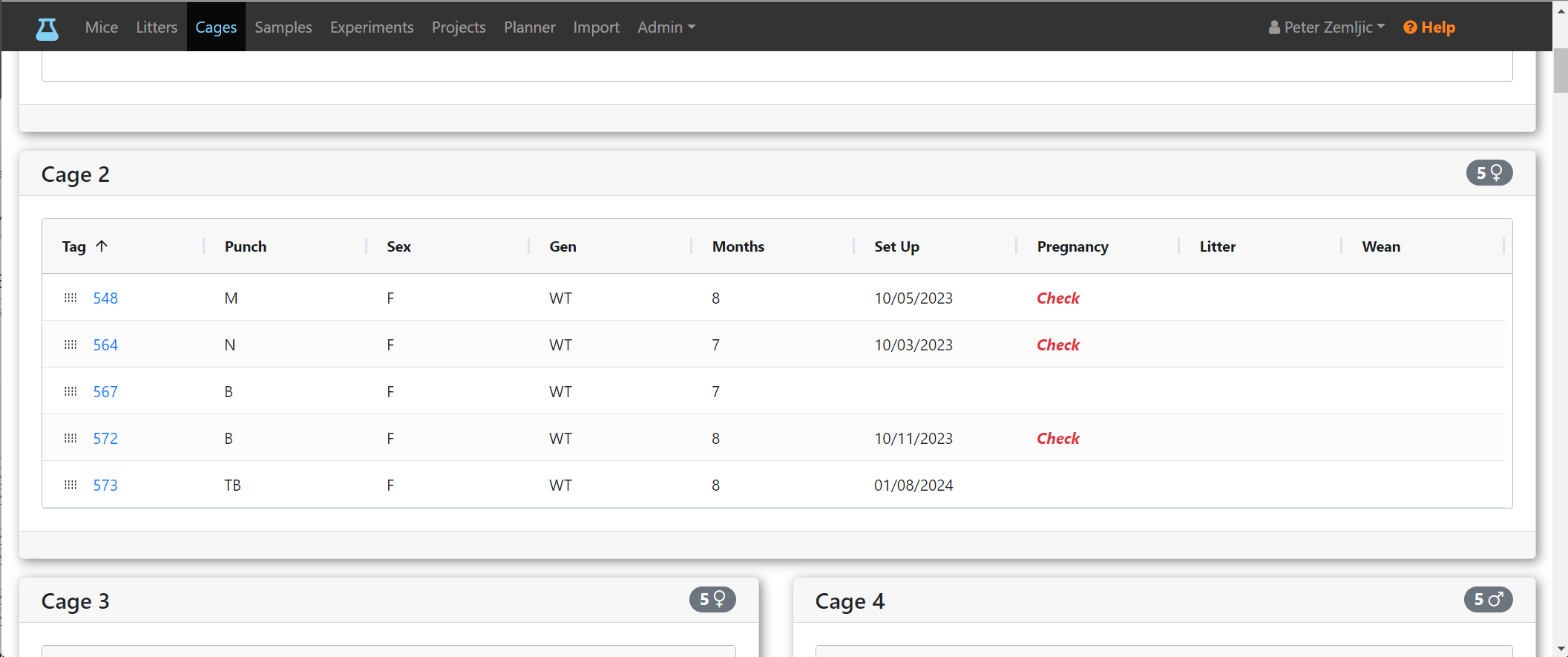
It is also visible for breeding cages on the cage card view.
Pregnancy Date
The pregnancy date can be set on the Add Mouse and Edit Mouse forms. The field gets disabled for male mice to avoid accidental entry. When all pups are weaned, the date is removed automatically but can also be cleared manually via the Edit Mouse form.
If two weeks or more have passed since the pregnancy date and no litter date has been entered, the Litter column shows a red “Check” label on the mouse table and the cage card view (same as shown for the pregnancy column above).
Litter Date
The litter date can be entered via the Add Litter and Edit Litter form. It is stored on the mother. On her pups, the same date is used for their birth date. If left emtpy, it is set automatically when pups are added to the cage of a fertile female. This happens regardless of whether pups are added via the litter form or the mouse form. It is removed automatically when all pups are removed form their mother's cage or a new setup date is assigned.
If three weeks or more have passed since the litter date, the Wean column shows a red “Check” label on the mouse table and the cage card view (same as shown for the pregnancy column above).
Wean Date
The wean date can be entered via the Add Litter and Edit Litter form. If left emtpy, it is set automatically when the pups and the mother are separated into different cages.