Versions
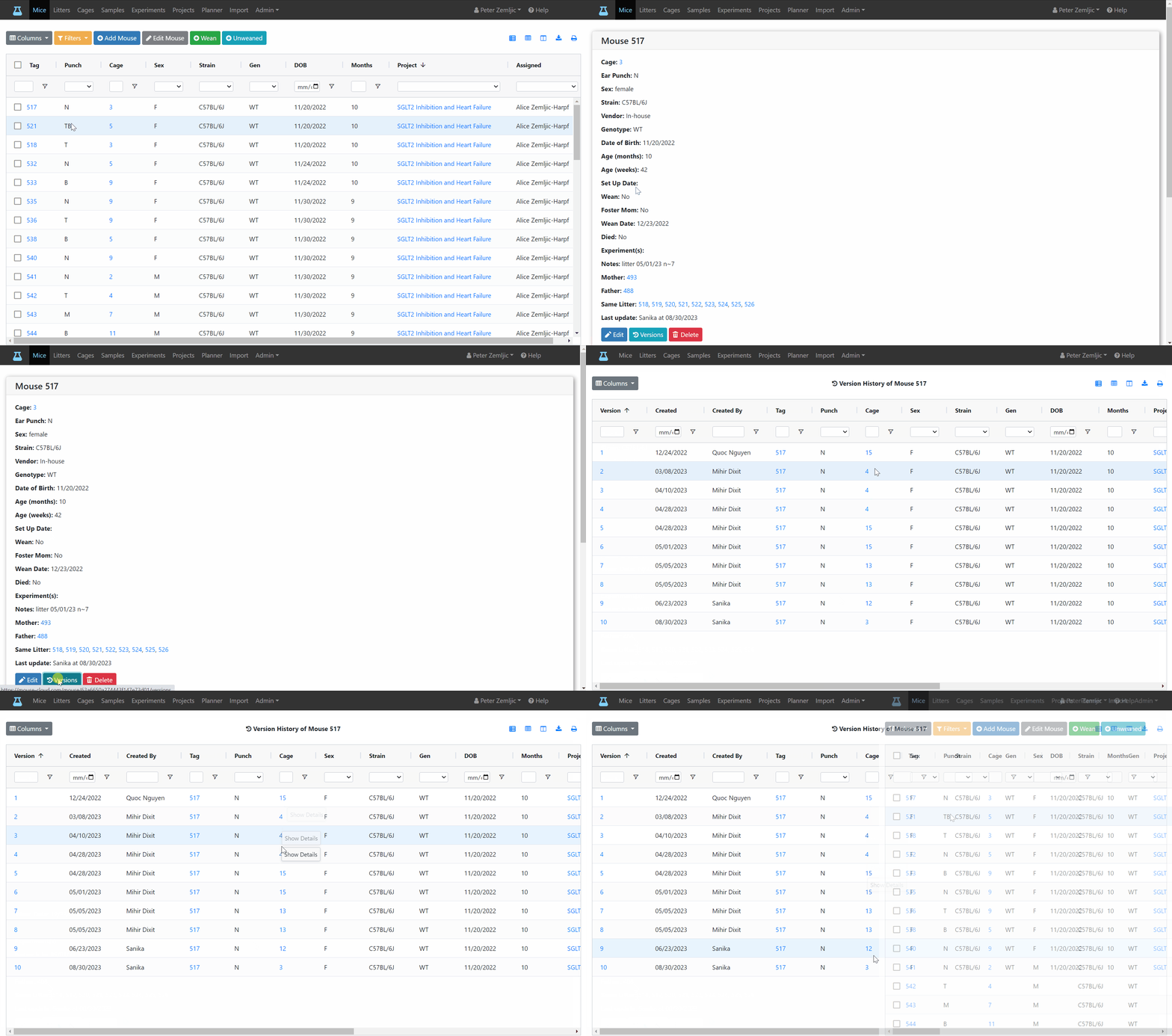
When making changes to a mouse (e.g., updating the cage field after the mouse has been moved), a new entry gets saved to its version history. For each change you can see when it was made and by whom.
- Click on the tag number of a mouse to switch to the mouse detail view.
- Click on the Versions button at the bottom.