Edit Samples
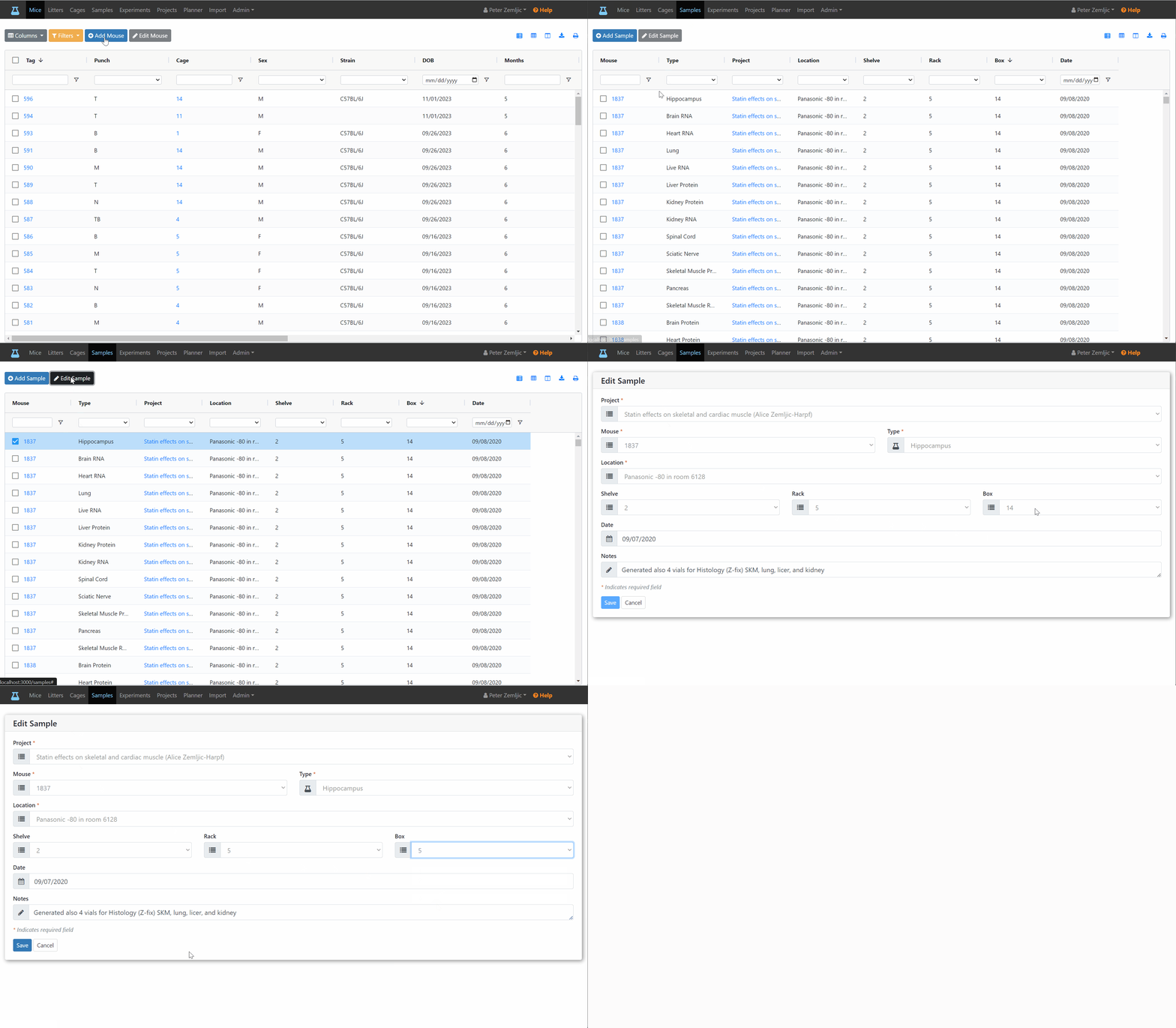
To edit a sample (e.g., move it to a different location), follow these steps.
- Click on the
Sampleslink at the top. - Click on the sample you would like to edit.
- Change the fields as needed.
- Click the
Savebutton.
To edit a sample (e.g., move it to a different location), follow these steps.
Samples link at the top.Save button.