Move Mice
There are several ways to move mice between cages as described below.
Drag & Drop on Cage Cards
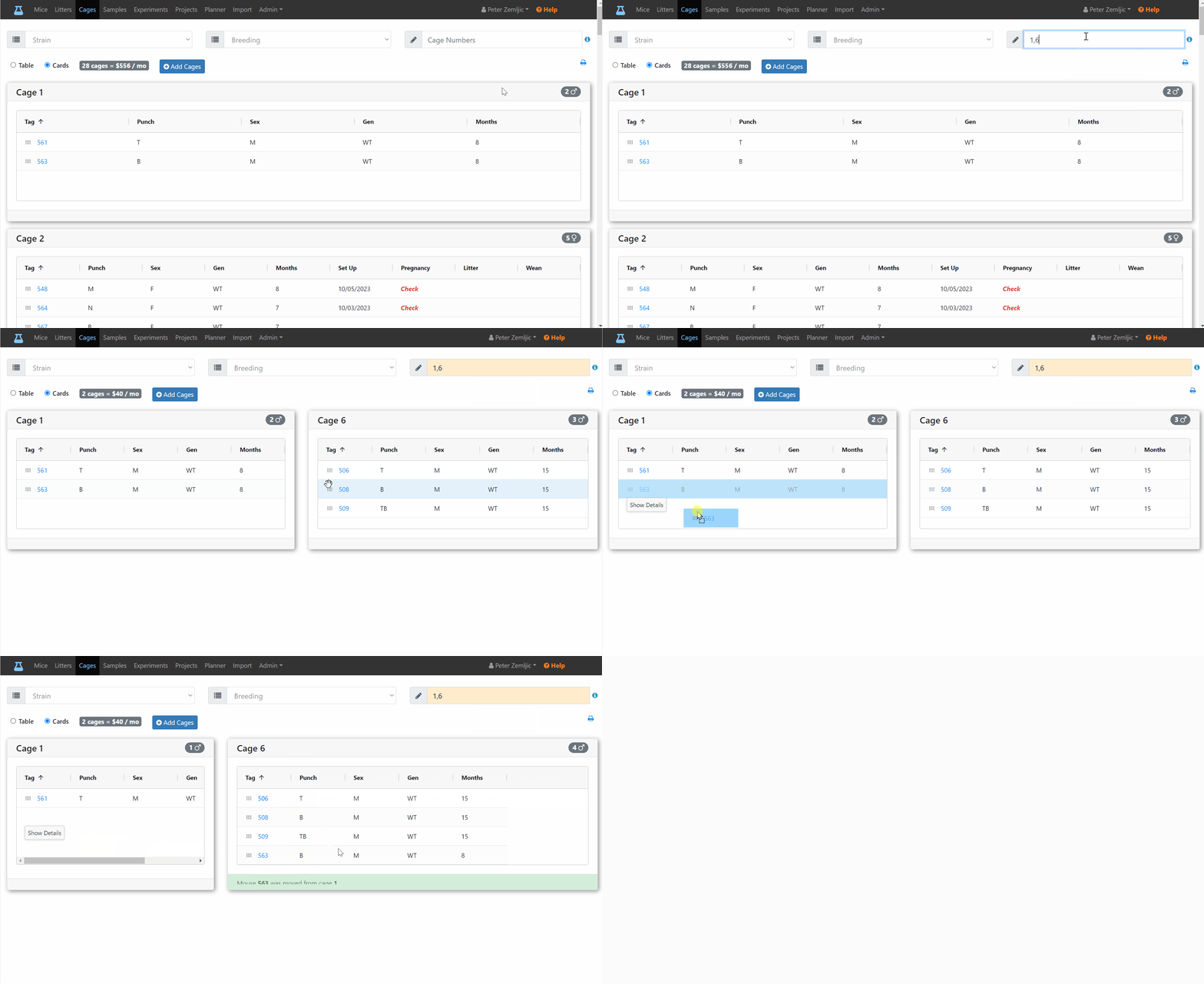
Cage cards offer a convenient way to move mice around cages. If I wanted to move mouse 563 from cage 1 to cage 6, I can simply drag the mouse from one cage to another.
tip
If the source and target cage are displayed away from each other, use the Cage Number filter field at the top right to only display those two cages next to each other.
note
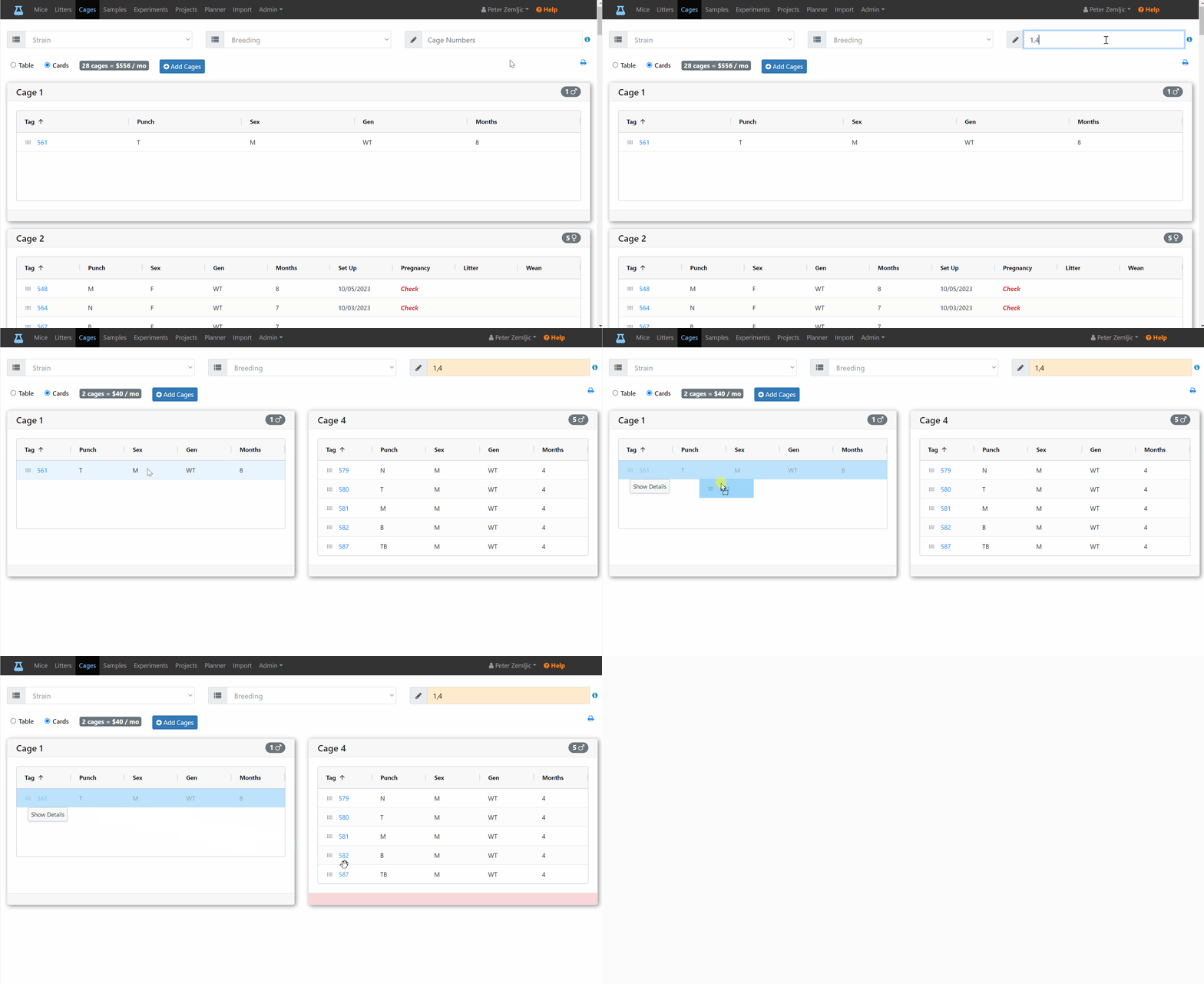
You cannot move more than 5 mice into once cage.
Edit Mice Form
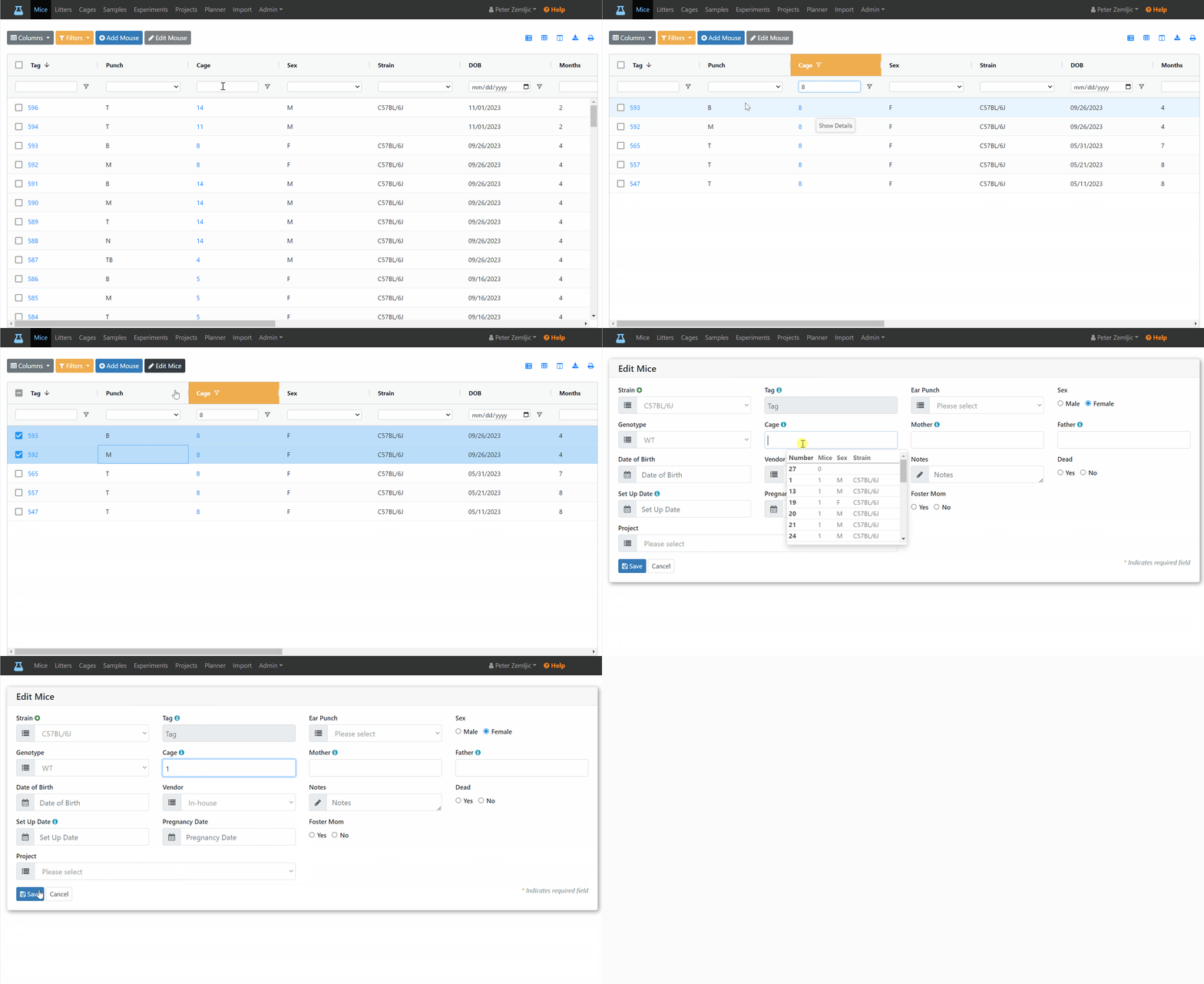
Another way to move mice to a different cage is by selecting them on the mouse table and entering the new target cage on the edit mice form.
Edit Litter Form
When moving pups away form the mother during weaning, it is best to use the Edit Litter form as describe in the Litters chapter.